
Before you begin
You need an Infisical project containing secrets, access to configure its machine identities, and permission to manage integrations in Ryvn.Configure the connection
1
Create a machine identity
In your Infisical organization, open Access Control > Machine Identities and create an identity such as
ryvn-secret-sync. Give it the organization Member role.2
Configure Universal Auth and project access
Open the identity and configure Universal Auth under Authentication. Add the identity to the project containing your secrets and grant it permission to read the environments and paths you plan to import.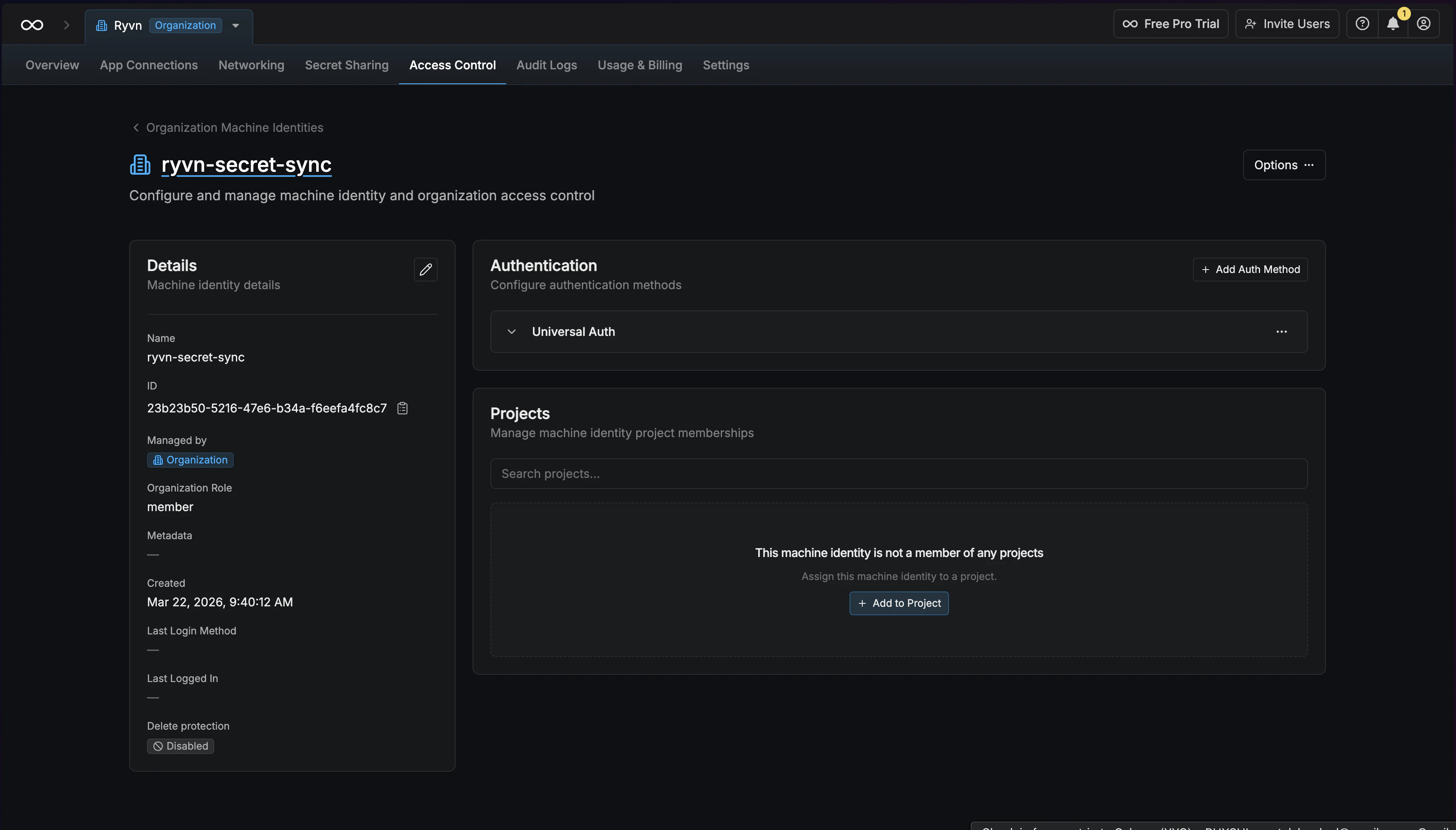
3
Create a client secret
Under Universal Auth, create a client secret. Copy the Client ID and Client Secret for the next step.
4
Add the connection in Ryvn
- Dashboard
- CLI
Open Settings > Connections > Infisical and click Add Connection.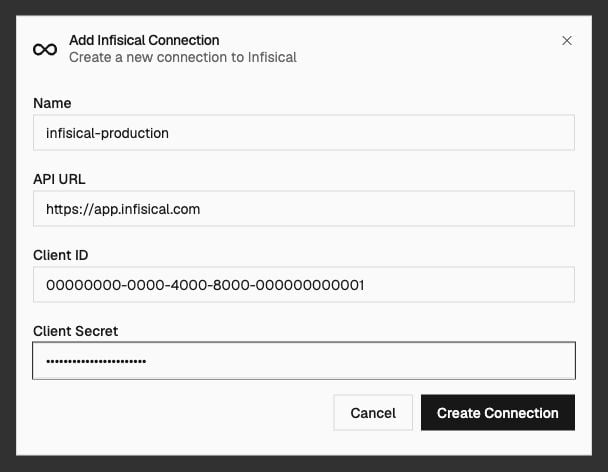
Click Create Connection.
5
Test and import
- Dashboard
- CLI
Click Test on the connection.